The numbers you care about, on one screen, without copying and pasting.
I build dashboards for small businesses, in Google Sheets or on a simple web page. We agree what you want to see, then you pay one price for it, from £180.
Results you could ask for
These are examples. On the free call we write yours in your own words, with a way for you to check it.
- Every Monday I see last week’s sales by product on one screen, without copying anything in.How you check it: open it on Monday. It matches your till.
- I can see how many enquiries came in and what each one cost, updated every hour.How you check it: compare it with your ad account and your inbox.
- I spot a slow week on Monday, not at the end of the month.How you check it: enter a quiet day’s numbers. The week figure drops.
- I choose a name from a list and see everything recorded about them on one page.How you check it: pick someone you know. Their records are all there.
Where the numbers come from
You shouldn’t have to copy numbers from one place to another. A dashboard reads them from where you already keep them.
- A Google Sheet your team already fills in.
- A tool you already use, such as QuickBooks or Google Analytics.
- A short form on a phone when the numbers are typed by staff. The week and the month update themselves.
- It stays up to date. The figures refresh on a timer. The charts live in the sheet itself or on a small web page that opens from a link, with nothing to install.
An example: knowing the moment an enquiry arrives
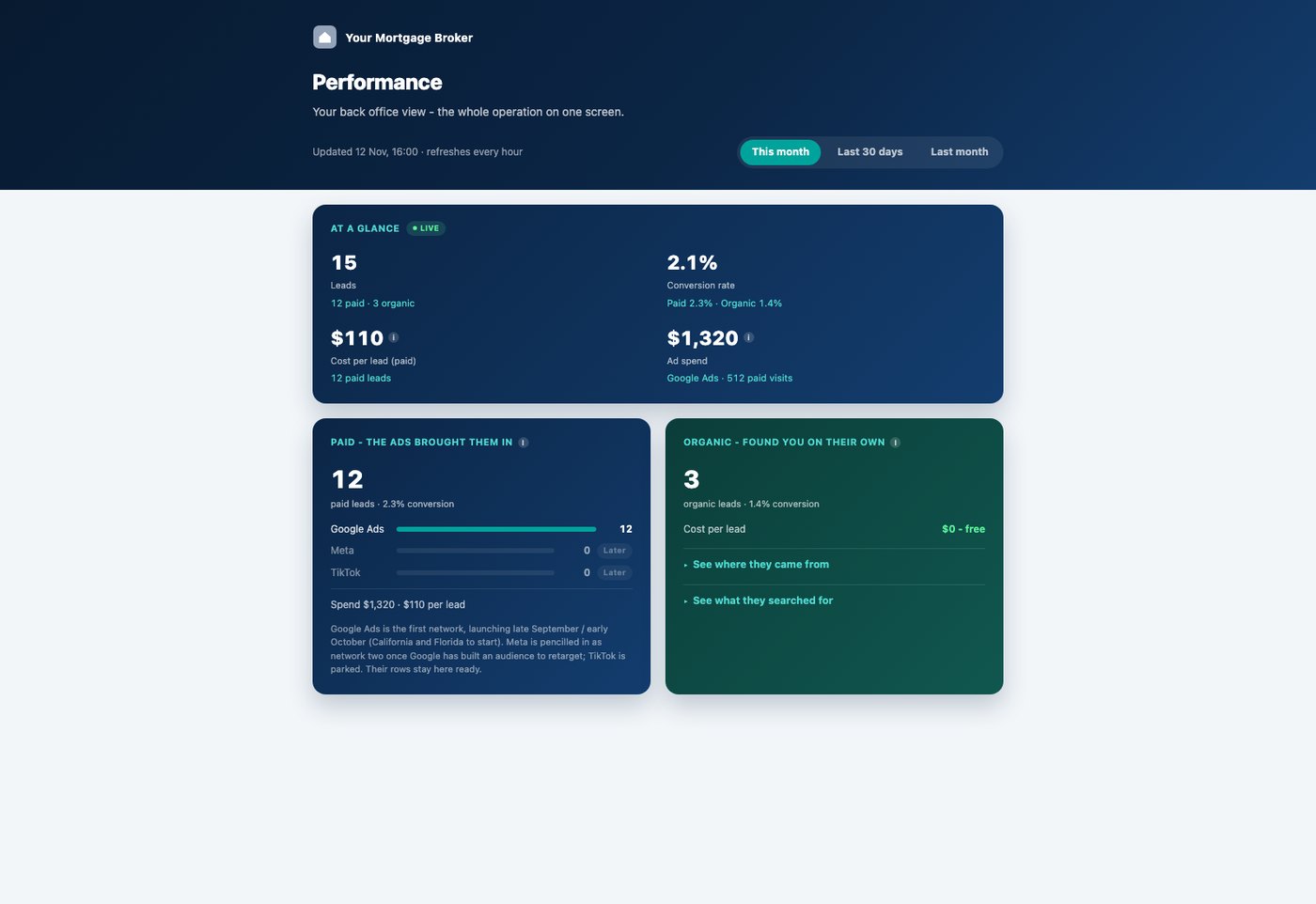
The job. A small US mortgage business was starting Google ads. They needed to know the moment an enquiry arrived, and what each one cost.
What I built. A live dashboard of enquiries and the cost of each one, updated every hour, beside a short quiz page that turns an ad click into an enquiry.
The result. 27 enquiries in the first six weeks of ads, each one texted to the broker within seconds.
Another example: a gym. Front-desk staff send the day’s numbers from a form on their phone. The week and the month update themselves, so the owner spots a slow week on Monday, not at month end. Built with Google Sheets and Google Forms.
And an early-years team. A dashboard shows totals at a glance, filtered by child or by member of staff, with a report for each child and a weekly summary by email.
How a job runs, and what it costs
One fixed price for each result, from £180. You will never get an invoice you haven’t agreed to beforehand.
- Agree. We start with a free call. We write the result in your own words, and you agree one price.
- Pay. You pay for that one result before I start.
- Plan and build. You confirm my list of what I will build, then I build to that list, usually in 1 to 3 days.
- Try it. You test it for about a week. I send a simple guide and help you through it.
- Fix. If it misses what we agreed, I fix it free.
- Hand over. You get your access details and everything you need to use it.
Questions people ask
Do I need to change how my team enters the numbers?
Not unless you want to. I read from where you keep them now. If the numbers only live in people’s heads, I add a short form on their phone.
Is the dashboard on a web page or in a spreadsheet?
Either. I suggest the simpler one that does the job. A spreadsheet dashboard is quickest. A web page is better when several people need to see it on their phones.
How often does it update?
It refreshes on a timer. We agree how often on the call, for example every hour.
Who owns the dashboard?
You do. Once it’s paid for, it’s yours to use and keep.
Other ways I can help
A dashboard is often the second step, once the numbers are in one place. These are the two places it usually connects to.
Start with a call, or send me your spreadsheet
The first call is free. Tell me what’s slowing you down and I’ll suggest a result you can check, and a price.
Free spreadsheet review
Add a link or attach your spreadsheet in the form and I’ll tell you what I’d fix first and what it would cost. No obligation.
Prefer email? help@sheetrics.com